

You’ve probably spent many agonizing hours ensuring that the important pieces of your life are in order. If you’re “good at adulting,” as the kids say, your will is updated, your financial accounts are organized, and someone you trust knows where to find the spare key. You might have even created a “When I Die” file to make the logistical and bureaucratic processes involved when you die slightly less painful for those who will be tasked with closing up shop.
But what about the life you’ve built online? All the photos you’ve uploaded to the Cloud, your social media accounts, your emails, your digital banking information and your subscriptions won’t just go away when you shuffle off this mortal coil. And thanks to the increasingly stringent security requirements we’ve put in place for these assets (think about how hard it is to come up with a new password these days), they’ll be nearly impossible for your loved ones to access without your help.
It seems like a minor issue, but the value of these assets isn’t always monetary. In fact, it’s because their value lies somewhere in the grey areas surrounding identity protections, privacy, personhood and intellectual property that so many countries around the world have failed to draft effective legislation around digital assets.
Without a solid plan, your digital assets can become both inaccessible and/or dangerously unprotected, leaving loved ones to navigate a maze of passwords, policies and legal hurdles. Here’s what you need to know to save your family considerable frustration down the road.
What are Digital Assets?
Nolo Press, a publishing company that specializes in what they call “do-it-yourself legal guides,” defines digital assets as any electronic record that you own, license or control. This includes just about any online account or digital file that you have authority to access — email, online banking accounts, social media accounts, cloud storage, digital photos, and anything else that you access online, on your phone or on your computer that requires a login. (Nolo provides a thorough list of common digital accounts here.)
This can get confusing. For example, your online banking account is a digital asset, but the money in your bank account is not. On the other hand, both your cloud storage account and the digital files you stored in that account are considered digital assets.
A Brief Summary of Our Legal Rights
People like to joke about how we all flippantly skip reading the “Terms & Conditions” we’re required to accept when we download any new app, but this casual ignorance can have serious consequences.
Prior to 2012, everything we kept online — files, accounts, photos — belonged to the company that controlled them; these companies are quaintly called the “custodians” of the digital assets. So after someone died, their digital assets could get randomly deleted, or they would linger on the internet or personal devices, untouchable by family and friends.
In 2014, the Uniform Law Commission completed the Uniform Fiduciary Access to Digital Access Act (UFADAA). This attempt to legislate the process tried to treat digital assets as any other kind of property. So, after someone died, their executor was given the right to access the deceased person’s accounts. If the executor didn’t have the logins or passwords, they could request them — and the company would have to comply.
As you can imagine, technology companies and privacy advocacy groups had some issues with this concept. Providing executors the authority to access all of a deceased person’s digital assets had the potential to violate the decedent’s privacy, violate the privacy of third parties whose communications might then be exposed, and raise significant liability concerns, for a start. The UFADAA also went against everything we blindly agree to in the terms of service agreements (TOSAs): those “terms and conditions” we gleefully scroll past that typically make digital assets nontransferable.
The current version, called the Revised UFADAA, or RUFADAA, completed in 2016, is considered a guiding document in most cases that deal with digital assets, having been enacted in every state except Massachusetts as of 2026. This version (which has not been without significant challenges in court) stipulates:
- An executor no longer has authority over the content of electronic communications (like private emails, tweets and chats) unless the deceased person explicitly consented to disclosure;
- An executor can get access to other types of digital assets, but now they must petition the court and explain why the asset is needed to wrap up the estate;
- If a fiduciary does not have explicit permission through a will, trust or power of attorney, custodians (the term used to describe the companies that own digital platforms) can refer to the TOSAs to determine whether to comply with requests for access to a deceased person’s account;
- Custodians can also request court orders, and they can limit their compliance by providing access only to assets that are “reasonably necessary” for wrapping up the estate. They can also charge fees to comply with requests for access and refuse “unduly burdensome requests.”
If that leaves you with an “uh-oh” feeling in your gut, you’re not alone.
Necessary Reading
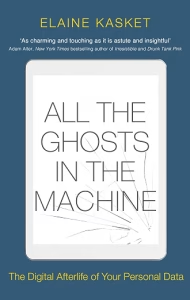
If you haven’t already read Elaine Kasket’s All the Ghosts in the Machine: The Digital Afterlife of Your Personal Data, it’s time to update your TBR (to be read) list. As one of the first people to actively (and obsessively) study death in the digital age, Kasket is a veritable encyclopedia of policies, fine print and agonizingly relatable anecdotes about the ways in which our lack of legal protection has impacted grieving families and friends.
When I recently spoke with Kasket, she gently scolded me for acting like all of this was new information. “The fact that we don’t — can’t — necessarily have any say-so over a lot of digital material when we’re dead is connected to the fact that we don’t actually have a lot of control or ownership over it when we’re alive, because of the terms and conditions that we sign up to. You can’t decide what happens to something that isn’t yours, really; that you’ve given over to somebody else.”
Essentially, we’ve all (knowingly?) signed over our rights to any documentation of the digital lives we’ve curated over the years, and there’s not much we can do in retrospect to change that.
What We Can Do
Many of the social media platforms and other “custodians” of our digital assets have made it nearly impossible to retroactively revoke our permissions without leaving their services entirely. (And in most cases, doing so will only make it harder for us to retrieve the data we’ve already given them.) When we created an account, we entered into a binding agreement; we cannot accept or decline certain clauses of that agreement.
Our only recourse, it seems, is to do what Americans do best: Find the loopholes.
Writing for Nolo Press, Attorney Betsy Simmons Hannibal advises everyone to make their wishes regarding various digital assets explicitly clear in a legal document, like a will or power of attorney.
However, it will still be a significant challenge for anyone you appoint as a fiduciary to go through the process of invoking RUFADAA, even if you provide explicit permission for them to access your digital assets. (Kasket relates a few examples of RUFADAA court cases in her book that will make you want to scream in frustration.)
To circumvent this uphill battle, you’ll need to go beyond merely giving permission in your will by leaving your executor or trusted agent information and instructions about how to access your accounts and files. According to Hannibal, this is the easiest and surest way to make sure your executor will have the ability to access your accounts and wrap up your digital legacy.
Hannibal recommends that we:
- Write a letter or note. Nothing fancy is needed. Just write a letter by hand, or on your computer. Do not include this information in your will, as that will become a public document.
- Include access information and instructions. Leave very specific instructions for accessing your accounts. Include websites or devices needed, as well as usernames and passwords. Also, tell your executor what you want done with each account. Do you want your stored photos to be shared with family, your Twitter account deleted, or your blog to be archived and saved? Be as clear and thorough as possible.
- Secure your letter in a safe place. Keep your letter with your other important documents like your will, health care directive or insurance information. Your executor may need this information soon after your death, so make sure it’s easily accessible and that your executor knows where to find it.
- Keep your letter up to date. As account information changes, update your letter so that your executor has the current information when the time comes.
Ensuring Even More Privacy
If you don’t want anyone accessing your digital assets when you die or become incapacitated, see a lawyer to discuss ways to protect your privacy. An attorney may be able to craft a provision for your will that explicitly prohibits your personal representative from accessing certain assets. Or the attorney could help you set up a trust that appoints a trusted person to guard the assets on your behalf.
Top image: Peopleimages.com – YuriArcurs, via Canva.coma